ZRA Smart Invoice in 2026: who must use it, how to issue, and the penalties
A plain guide from ZRA's own guidance: who must use Smart Invoice, the four ways to issue a smart invoice, the offline, foreign currency and credit note rules, and the penalties under the VAT Act.
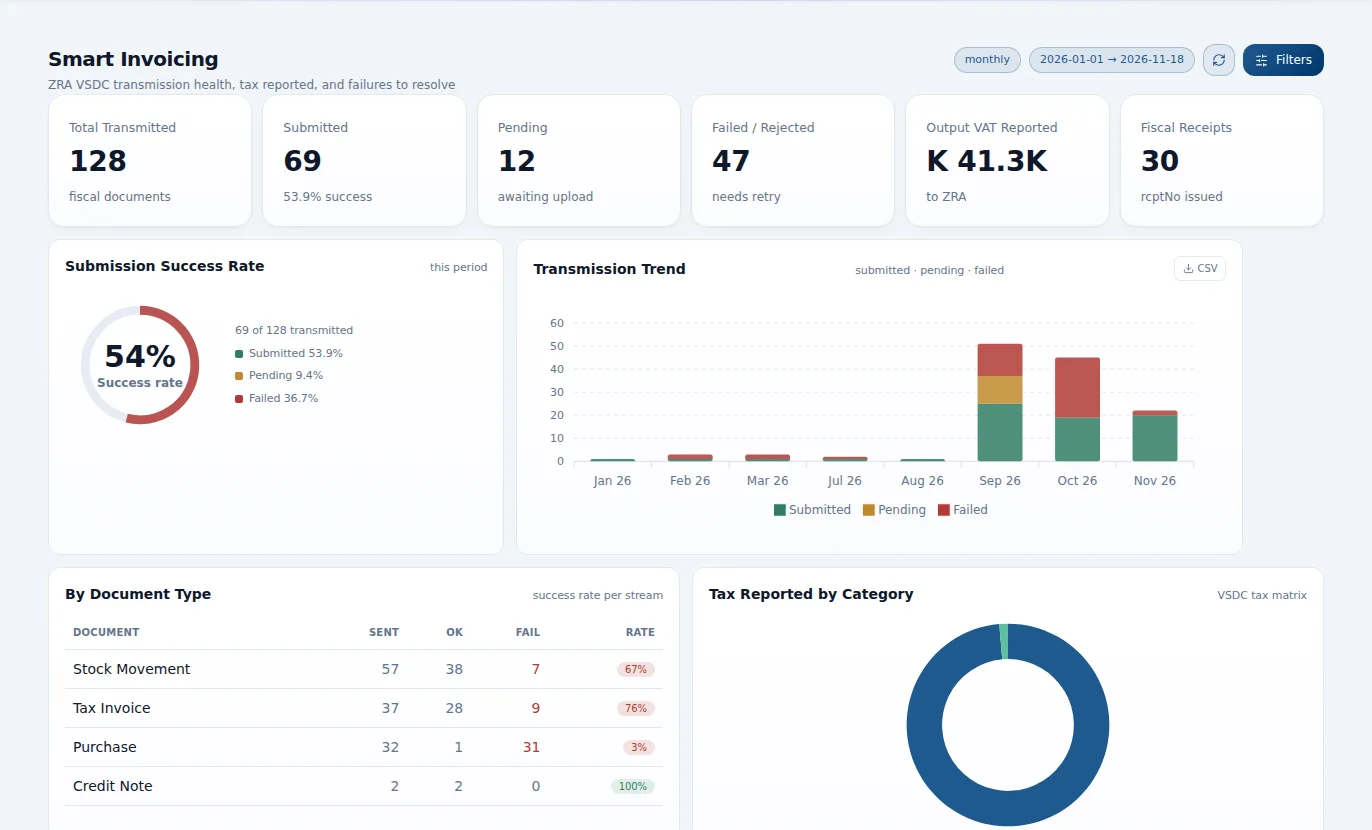
Since ZRA introduced Smart Invoice, every sale a registered business makes is meant to reach ZRA as it happens, carrying a fiscal signature that proves it is genuine. In 2026 the authority has moved from registering businesses to checking that they use it. This guide sets out what ZRA's own published guidance says: who must use Smart Invoice, the ways to issue a smart invoice, the rules that catch people out, and the penalties.
What Smart Invoice is
Smart Invoice is ZRA's software-based electronic invoicing system. Each invoice is sent to ZRA in real time and carries a fiscal signature, a special mark that authenticates it, and a QR code that anyone can scan to check the invoice is genuine.
It replaced the Electronic Fiscal Devices (EFDs), which were physical gadgets and covered only VAT and Insurance Premium Levy. Smart Invoice covers more: VAT, Turnover Tax, Income Tax, Rental Income Tax, Local Excise Duty on coal and electricity, Insurance Premium Levy and Tourism Levy. It also has a stock management part.
Who must use it
There is no turnover threshold. A business must use Smart Invoice if it is registered for any of these:
- Value Added Tax (VAT)
- Turnover Tax
- Insurance Premium Levy
- Tourism Levy
- Excise duty on coal and electricity
- Rental Tax
- Income Tax
Manual tax invoices are no longer allowed: ZRA's guidance is that all taxpayers must issue electronic invoices through one of the Smart Invoice solutions. Businesses that still have EFDs must move to Smart Invoice and return the devices to ZRA.
The four ways to issue a smart invoice
| Solution | Who it is for | What to know |
|---|---|---|
| Mobile App | Turnover Tax and Rental Tax only | Android phones and tablets. Not for VAT-registered businesses. |
| Online invoicing | Service businesses, for example construction and law firms | Runs in a web browser and needs a continuous internet connection. |
| Desktop Application | Any taxpayer without an accounting package | Installed on a computer or laptop. Can work offline. |
| Approved Invoicing System | Businesses that invoice from accounting software or an ERP | The system is integrated with Smart Invoice and approved by ZRA. |
ZRA's Mobile, Desktop and Online solutions are free. A business that invoices from its own accounting package or ERP must have that system integrated with Smart Invoice, either by its own technical staff or by a software vendor, and pays for the integration itself. Cloud software can be integrated. Accounting packages that ZRA approved for the old EFDs must be integrated again: the earlier approval does not carry over.
Choose carefully. ZRA expects a business to pick one solution and use it consistently, although it can switch later if another one suits it better.
Day-to-day rules that catch businesses out
- Prices include VAT. Standard-rated goods and services are entered as tax-inclusive amounts. Only exempt and zero-rated items are entered without VAT.
- Corrections go through credit and debit notes. A completed sale is not edited. It is adjusted with a credit note or a debit note, and several credit notes can be issued against one invoice.
- Offline invoices have a deadline. Invoices issued offline must be uploaded within 3 days. The Online solution cannot issue offline at all.
- Foreign currency is allowed. Besides the Kwacha, invoices can be issued in US Dollars, British Pounds, Euros, Chinese Yuan and South African Rand, with the exchange rate stated on the sale. The Kwacha stays the default for item prices.
- Exports and LPOs. Export sales are supported for zero-rating VAT. A customer with a zero-rating Local Purchase Order must still provide the LPO before the supplier can invoice without VAT.
- Payment method. Each invoice records how it was paid: cash, cheque, card or electronic funds transfer.
- One taxpayer per device. ZRA's Desktop, tablet and mobile solutions take one TPIN per device: two businesses cannot share one installation.
- Printing is optional. An invoice can be printed or sent by email. From the Mobile App it can go by Bluetooth printer or an SMS link.
- Stock adjustments need a reason. Damaged or expired stock is adjusted in the stock management part, with the reason recorded.
Check the invoices you receive, too
Smart Invoice is not only about the invoices you issue. Before you pay a supplier and claim the input VAT, check that their invoice carries the Smart Invoice QR code and scan it. An invoice that never went through Smart Invoice is a weak basis for an input VAT claim, so ask the supplier for a proper smart invoice first.
Penalties
Failing to issue electronic invoices is an offence under section 7A(3) of the Value Added Tax Act. ZRA lists the penalties as:
| Offence | Penalty |
|---|---|
| First | A fine of up to K40,000 |
| Second | A fine of up to K80,000 |
| Third or later | A fine of up to K120,000, or up to 3 years in prison, or both |
ZRA is enforcing this. In May 2026 it said it was prosecuting seven taxpayers for wilful failure to comply with Smart Invoice, and that being registered is no longer enough: it expects consistent, accurate and timely use of the system.
A short checklist
- Confirm every tax type you are registered for. If any of them is on the list above, you must use Smart Invoice.
- Pick the solution that matches how you invoice: the Mobile App only for Turnover Tax or Rental Tax, Online or Desktop if you invoice by hand, an approved integrated system if you use accounting software.
- Register your items with the right tax class, and enter standard-rated prices including VAT.
- Make sure every sale goes through Smart Invoice, including cash sales and sales made while the internet is down (upload within 3 days).
- Correct mistakes with credit and debit notes, never by editing or cancelling outside the system.
- Scan the QR code on supplier invoices before claiming input VAT.
- Keep the people who invoice trained: most problems come from sales made outside the system.
Smart Invoice inside your accounting system
When invoicing and the books are separate, the same sale is typed twice and the two records drift apart. In the CoreStack Business Management System, a sales invoice is sent to Smart Invoice from the same transaction that posts it to the ledger, and credit notes follow the same path. That way the fiscal record and the books agree.
Where to find out more
This guide summarises ZRA's published Smart Invoice guidance (the Smart Invoice FAQs) and its public statements as at November 2026. It is not tax advice, and the rules can change. For registration and integration, see the Smart Invoice section of zra.org.zm, call ZRA on 4111, or write to smartinvoice@zra.org.zm.