A fixed asset register that runs its own depreciation.
Register each asset with its category and cost, run monthly depreciation and see net book value at any time. Custodianship agreements, maintenance, insurance, revaluations and disposals are tracked against the asset, and gains and losses post to the same ledger.
From ZMW 350 a month14-day free trialApprovals and self-service included
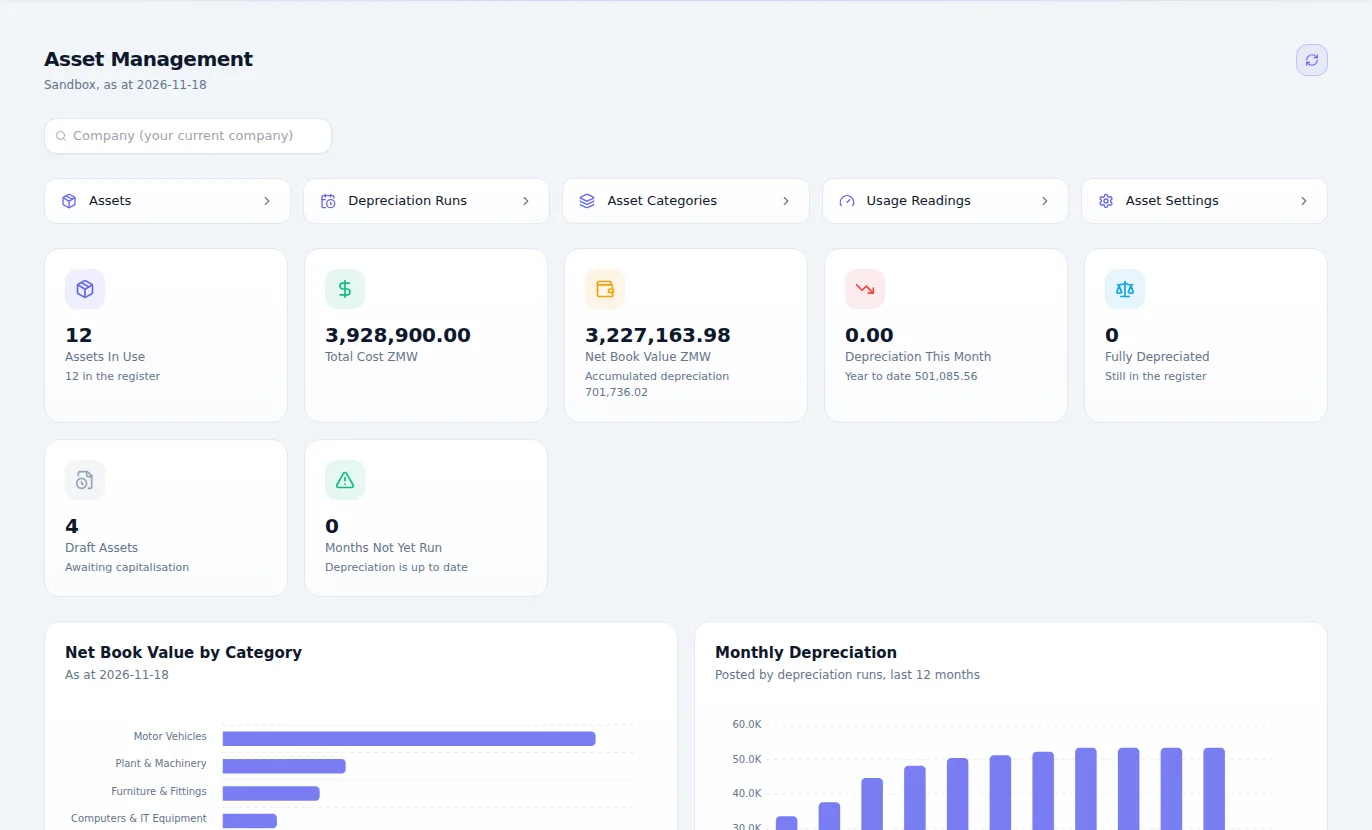
What Fixed Assets is for
Know what you own, where it is, who has it and what it is worth. Fixed assets from purchase to disposal, with depreciation posted to the books every month.
Why it matters
What changes when you move to Fixed Assets.
The asset register is a spreadsheet nobody fully trusts.
One register of everything the company owns.
Nobody can say which laptop or vehicle is with whom.
Every asset has a custodian and a location on record.
Depreciation is worked out once a year, under pressure.
Depreciation runs post to the books.
Insurance and maintenance dates get missed.
Maintenance and insurance are tracked against each asset.
The register and the ledger drift apart.
The register reconciles to the ledger.
Features
Everything Fixed Assets gives you.
Described in plain language, by what each part does for your business.
Asset register
Every asset, with its category, its custodian and where it is.
Depreciation runs
Depreciation worked out by your category settings and posted to the books.
Transfers
Move an asset between people, branches or departments and keep the history.
Value adjustments
Revalue or impair an asset, with the change on record and in the books.
Disposals
Sell or retire an asset properly, with the result posted.
Maintenance
Maintenance records against each asset, so you see what it really costs to keep.
Insurance
Insurance held against the asset it covers.
Reconciliation
The register checked against the ledger, so the balance sheet can be trusted.
Depreciation by use
Assets that wear with use depreciate from their meter readings, not only by the calendar.
Tax depreciation
Tax depreciation classes and a tax register beside the book depreciation, for the corporate tax computation.
Custodians who sign
Custodianship agreements for the people who hold assets, and asset groups for what moves together.
How it works
From first step to finished work.
Register
Bring in what you own and add new purchases as they arrive.
Assign
Give each asset a custodian and a location.
Depreciate
Run depreciation and let it post to the books.
Maintain and dispose
Record maintenance and insurance, then dispose of the asset properly when its time comes.
Who it's for
Everyone who touches the work.
Finance teams
Have depreciation and the register in step with the books.
Administrators
Know who holds what, and who to ask.
Fleet and facility managers
See what each asset costs to keep.
Auditors
Verify a register that matches the balance sheet.
Where it fits best
Results
How it makes your business run better.
Accurate books
Depreciation stops being a year-end scramble.
Fewer lost assets
Everything has a name against it.
Lower running costs
Maintenance history shows what is worth keeping.
A clean audit
The register agrees with the ledger.
Connected
It works with the rest of your business.
Start with Fixed Assets on its own and add the others when you need them. Nothing has to be typed twice.
Fixed Assets
One set of books underneath.
Editions
Pay for what your business needs today.
Start small, move up whenever you are ready, and only ever pay for the modules you use.
One edition, everything included
ZMW 350 a monthNo choosing between editions. Add it to a bundle or to your own selection of modules.
- Asset register
- Depreciation runs
- Transfers
- Value adjustments
- Disposals
- Maintenance
- Insurance
- Reconciliation
- Depreciation by use
- Tax depreciation
- Custodians who sign
Included in every plan, at no charge
Questions
Questions about Fixed Assets.
Yes. Each asset has a depreciation schedule, and running monthly depreciation updates its net book value.
Build a depreciation schedule for any asset, free and with no sign-up.
Open the calculatorBook an hour with us to see CoreStack working on your own figures.
Bring last month's numbers and the thing that frustrates you most. We'll show you how it works in CoreStack.
Swipe to see all of it
Last month's numbers
What frustrates you
Month-end takes forever
Month-end, on one set of books
On your own figures
An hour with our team, with your numbers on the screen. The figures here are examples.