A retail POS system that works with your stock and finance.
Open a till, start a cashier shift and ring up sales at the counter. Held sales, returns and refunds are handled at the till, the shift closes with a reconciliation, and each sale is written to the fiscal log for compliance. Sales sit on the same stock and ledger as the rest of CoreStack.
From ZMW 400 a month14-day free trialApprovals and self-service included
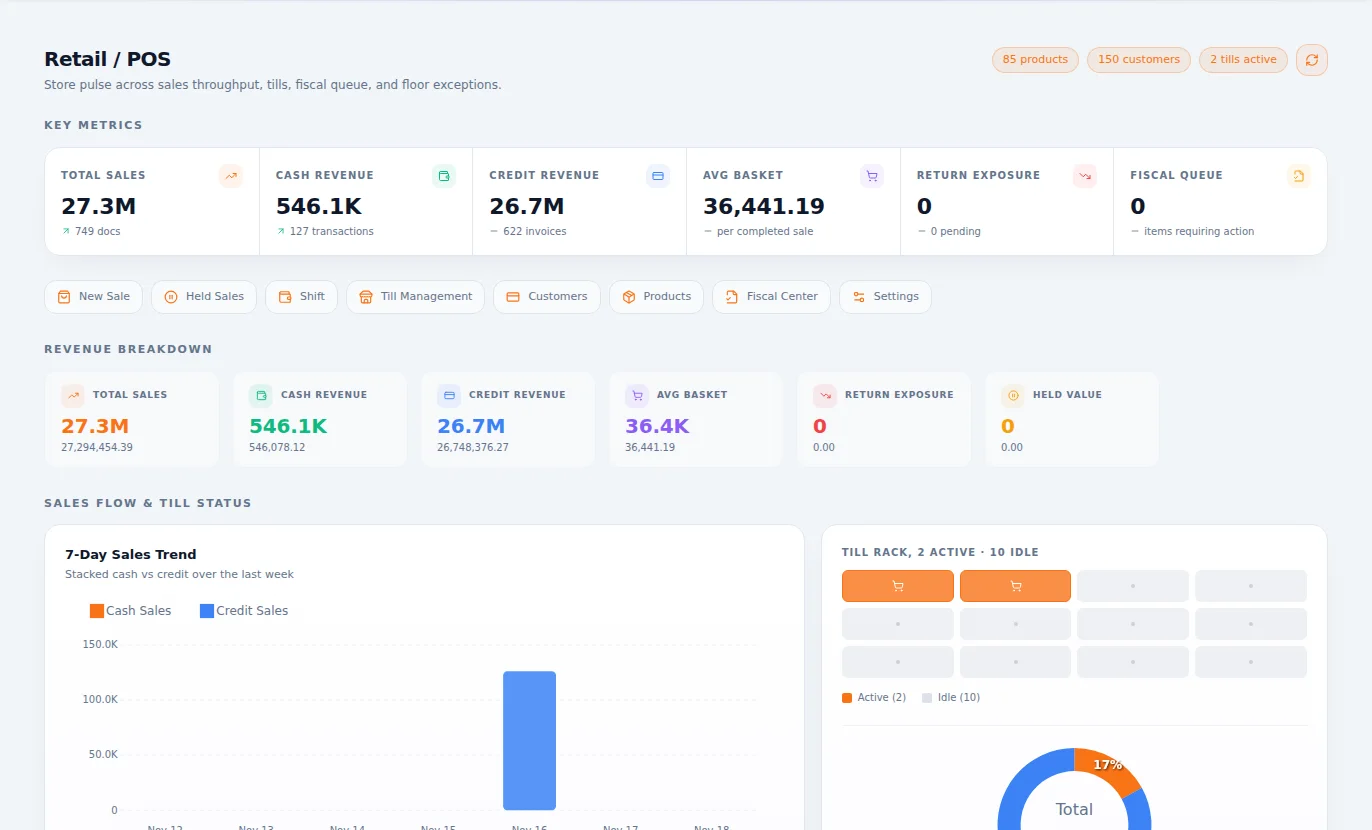
What Retail & Point of Sale is for
A point of sale built for the shop floor. Every sale fiscalised, every till balanced, and every item out of stock, without sales ever being separated from finance.
Why it matters
What changes when you move to Retail & POS.
Till takings and what the system says are different at closing.
Shifts open and close against what the till should hold.
Sales are entered into the books at the end of the day, or the week.
Each sale reaches the books as it happens.
You can't tell what sold until someone counts the shelf.
Each sale takes the item out of stock.
Fiscal receipts mean a second device and a second step.
Fiscal receipts are part of the sale.
With several tills, nobody knows which cashier handled what.
Cashier and supervisor views show who did what.
Features
Everything Retail & Point of Sale gives you.
Described in plain language, by what each part does for your business.
Fast selling
New sale, cash sales and tax invoices, built for a queue.
Shifts and tills
Shifts, tills and sale points, with each shift accounted for when it closes.
Customers and products
Customers, products and tax templates, shared with the rest of the business.
Fiscal centre
Fiscal receipts handled from one place.
Retail reports
Sales, stock balance and tax summary reports.
Charge to a room
For a hotel or lodge, a till sale can go on an in-house guest's bill.
ProAnd when you need more
Held sales
Park a sale, serve the next customer, then pick it up again.
Returns
Take goods back from customers, reversing both the stock and the sale.
Supervision
Supervisors, with supervisor and cashier dashboards for shops with several tills.
How it works
From first step to finished work.
Open the shift
The cashier opens the till and starts selling.
Sell
Ring up the sale and hand over a fiscal receipt. Stock and the books follow.
Handle the exceptions
Hold sales, take returns and call a supervisor when needed.
Close and balance
Close the shift, count the till and see any difference by cashier.
Who it's for
Everyone who touches the work.
Cashiers
Get a simple screen that keeps the queue moving.
Shop supervisors
See every till and handle exceptions.
Shop owners
See today's sales and takings from anywhere.
Finance teams
Stop capturing daily sales by hand.
Where it fits best
Results
How it makes your business run better.
Tighter cash control
Every shift balances, or the difference has a name on it.
Stock you can trust
Sales reduce stock as they happen.
Less back-office work
Sales post themselves.
Compliance by default
Fiscal receipts stop being an extra job.
Connected
It works with the rest of your business.
Start with Retail & Point of Sale on its own and add the others when you need them. Nothing has to be typed twice.
Retail & Point of Sale
One set of books underneath.
Editions
Pay for what your business needs today.
Start small, move up whenever you are ready, and only ever pay for the modules you use.
Essentials
ZMW 400 a monthFor a shop that needs fast sales, balanced tills and fiscal receipts.
- Fast selling
- Shifts and tills
- Customers and products
- Fiscal centre
- Retail reports
- Charge to a room
Pro
ZMW 650 a monthFor a busier operation that holds sales, takes returns and supervises several tills.
- Everything in Essentials
- Held sales
- Returns
- Supervision
Included in every plan, at no charge
Questions
Questions about Retail & Point of Sale.
Yes. Set up sale points and tills, and give staff cashier or supervisor roles.
Book an hour with us to see CoreStack working on your own figures.
Bring last month's numbers and the thing that frustrates you most. We'll show you how it works in CoreStack.
Swipe to see all of it
Last month's numbers
What frustrates you
Month-end takes forever
Month-end, on one set of books
On your own figures
An hour with our team, with your numbers on the screen. The figures here are examples.