Media buying software, from flow plan to post-campaign analysis.
Plan campaigns and flow plans, issue insertion orders against media contracts and keep vendor profiles and supplier invoices in one place. Actuals are reconciled against purchase orders, and post-campaign analysis closes each campaign out.
Included in every plan14-day free trialApprovals and self-service included
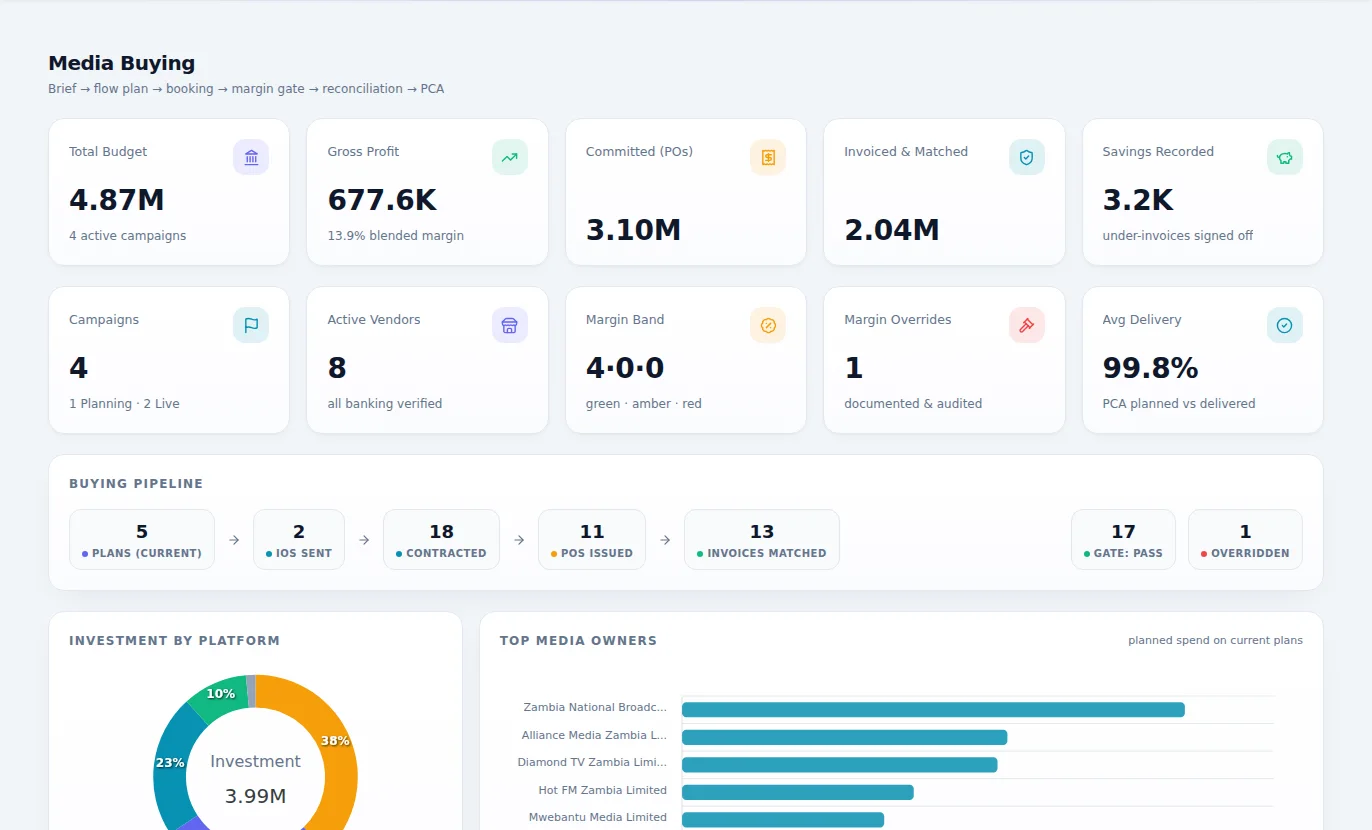
What Media Buying is for
Plan, buy, check and close every campaign. Flow plans, insertion orders, media contracts and supplier invoices stay together, so what you bought matches what ran and what you paid.
Why it matters
What changes when you move to Media Buying.
Flow plans live in spreadsheets that change by the hour.
Campaigns and flow plans sit in one place.
Insertion orders go out with nothing to compare them against later.
Insertion orders come from the plan.
Supplier invoices arrive for spots nobody can confirm ran.
Invoices are reconciled to orders and contracts.
Under-delivery is found after the invoice has been paid.
Actuals are compared with what was booked.
Post-campaign reports take days to put together.
Post-campaign analysis closes each campaign out.
Features
Everything Media Buying gives you.
Described in plain language, by what each part does for your business.
Campaigns and flow plans
Plan each campaign and its flow across media and dates.
Insertion orders
Issue insertion orders from the plan, to the right media owner.
Media contracts
Keep the agreed terms where the buying happens.
Vendor profiles
All your stations, publishers and outdoor owners in one place.
Supplier invoices
Supplier invoices held against what was ordered.
Actuals reconciliation
Purchase orders and actuals reconciled, so differences are caught before you pay.
Post-campaign analysis
Close out each campaign with what actually happened, for your client.
Match results
See what was matched and what still needs attention.
How it works
From first step to finished work.
Plan
Build the campaign and its flow plan.
Book
Issue insertion orders against your media contracts.
Check
Reconcile what ran with what was booked and what was invoiced.
Report
Close the campaign with its post-campaign analysis.
Who it's for
Everyone who touches the work.
Media planners
Work from one live plan.
Media buyers
Issue orders and track what they have committed.
Campaign managers
Know what ran, and report it to the client.
Finance teams
Pay only for what was delivered.
Where it fits best
Results
How it makes your business run better.
Money protected
Under-delivery is caught before you pay for it.
Client trust
Reports hold up, because they come from the records.
Less admin
One flow from plan to invoice, with less retyping.
Better buying
Past campaigns show which media delivered.
Connected
It works with the rest of your business.
Start with Media Buying on its own and add the others when you need them. Nothing has to be typed twice.
Media Buying
One set of books underneath.
Editions
Pay for what your business needs today.
Start small, move up whenever you are ready, and only ever pay for the modules you use.
One edition, everything included
No choosing between editions. Add it to a bundle or to your own selection of modules.
- Campaigns and flow plans
- Insertion orders
- Media contracts
- Vendor profiles
- Supplier invoices
- Actuals reconciliation
- Post-campaign analysis
- Match results
Included in every plan, at no charge
Questions
Questions about Media Buying.
Campaigns and flow plans, insertion orders and media contracts, vendor profiles and supplier invoices, purchase orders reconciled against actuals, and post-campaign analysis.
Book an hour with us to see CoreStack working on your own figures.
Bring last month's numbers and the thing that frustrates you most. We'll show you how it works in CoreStack.
Swipe to see all of it
Last month's numbers
What frustrates you
Month-end takes forever
Month-end, on one set of books
On your own figures
An hour with our team, with your numbers on the screen. The figures here are examples.